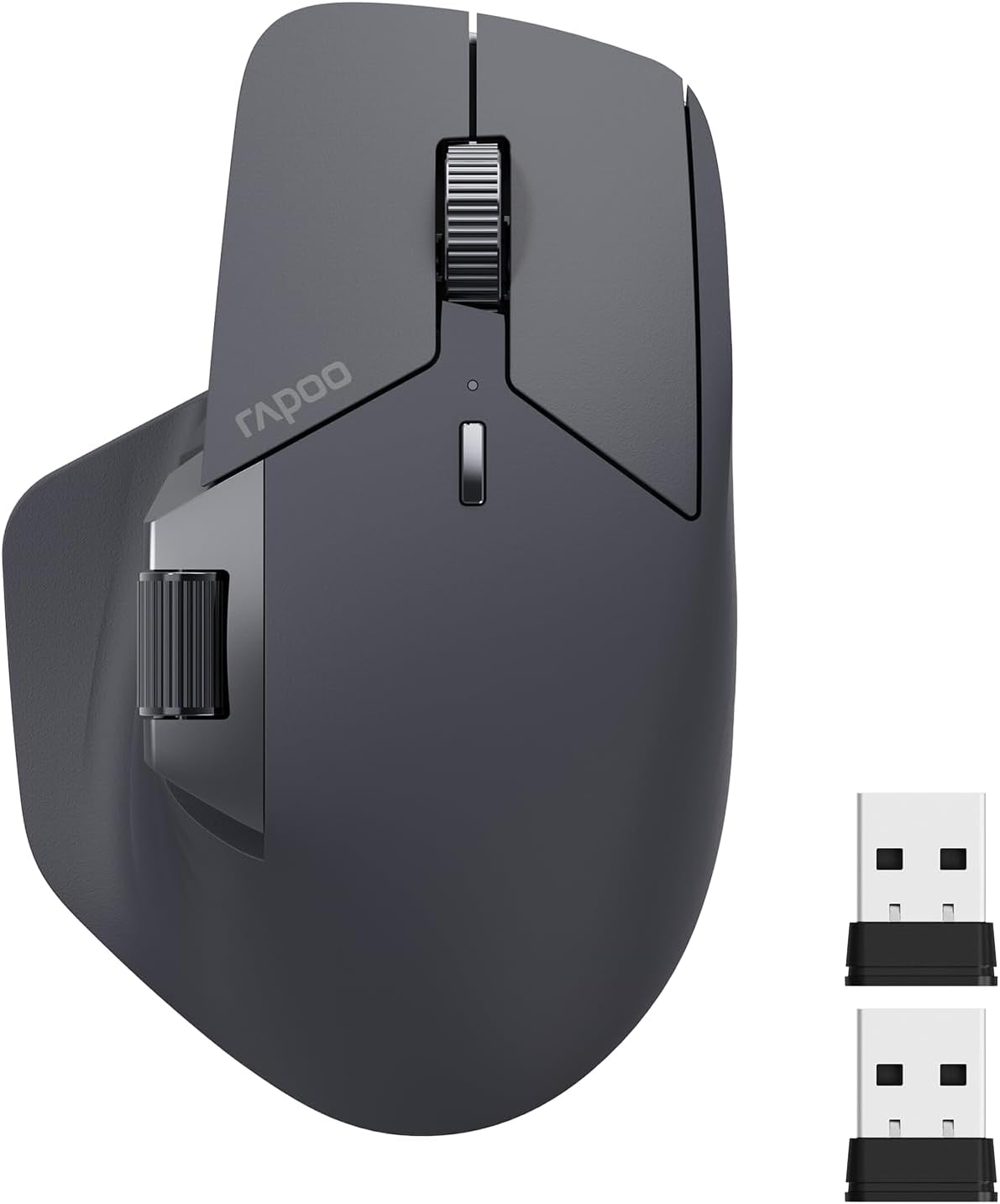
Description:
What's in the box
Details:
| Brand | Rapoo |
|---|---|
| Color | Matte Black |
| Connectivity Technology | Bluetooth, USB |
| Special Feature | 7 Adjustable DPI, 90 Days Battery Life, Ergonomic Design, Wireless Charging Enabled, Programmable Buttons, Up to 4 Devices, M+ Cross-Computer Technology |
| Movement Detection Technology | Optical |
Visit the Rapoo Store
Rapoo MT760 Multi-Device Wireless Mouse, Bluetooth 5.0 and 2.4G Multi-Mode Connection, Up to 4 Devices, 11 Programmable Buttons, 4K DPI, 90 Days Battery Life, PC, Matte Black
BHD3390


Quantity:
Order today to get by 7-14 business days
This item qualifies for free delivery
 Imported From: United States
At BOLO, we work hard to ensure the products you receive are new, genuine, and sourced from reputable suppliers.
Every product in the BOLO catalogue is sourced through our Verified Global Supply Network of verified sellers, authorized distributors or directly from the manufacturer.
Each product undergoes thorough inspection and verification at our consolidation and fulfilment centers to ensure it meets our strict authenticity and quality standards before being shipped and delivered to you.
If you ever have concerns regarding the authenticity of a product purchased from us, please contact Bolo Support. We will review your inquiry promptly and, if necessary, provide documentation verifying authenticity or offer a suitable resolution.
Your trust is our top priority, and we are committed to maintaining transparency and integrity in every transaction.
While we strive to display accurate information, variations in packaging, labeling, instructions, or formulation may occasionally occur due to regional differences or supplier updates. For detailed or manufacturer-specific information, please contact the brand directly or reach out to BOLO Support for assistance.
Unless otherwise stated, all prices displayed on the product page include applicable taxes and import duties.
BOLO operates in accordance with the laws and regulations of Bahrain. Any items found to be restricted or prohibited for sale within the Bahrain will be cancelled prior to shipment. We take proactive measures to ensure that only products permitted for sale in Bahrain are listed on our website.
All items are shipped by air, and any products classified as “Dangerous Goods (DG)” under IATA regulations will be removed from the order and cancelled.
All orders are processed manually, and we make every effort to process them promptly once confirmed. Products cancelled due to the above reasons will be permanently removed from listings across the website.

-
Rapoo M+ Cross-Computer Technology
Flow the cursor by simply moving to screen edge, transfer text, images, and files between computers.
-
Multi-Device Wireless Connectivity
2.4GHz + Bluetooth 5.0 multi-mode connectivity, the only mouse that supports 4 devices out there.
-
Ergonomic Design, Comfortable to Use
Silhouette crafted shape for natural wrist posture, reduce hand strain over long periods of work.
-
Support QI Wireless Charging
Add P3 Wireless Charging Module* for continuous wireless charging while at use.
-
11 Programmable Buttons
Customize shortcuts and function keys to streamline your work and boost productivity.

Silent Clicks
The upgraded keys produce a near-silent, soft but very distinctive click that reduces noise by 90%.

7 Adjustable DPI Levels
7 preset DPI values (800, 1000, 1200, 1600, 2400, 3200, 4000), adjustable in 50 intervals via the mouse driver to balance precision and quickness.

Works on Most Surfaces
High-performance laser sensor provides more accurate and precise tracking on most surfaces like wood, cloth, leather, resin, paper, etc.

90 Days Battery Life
800mAh Li-Po battery, full charge lasts up to 90 days. USB-C quick charge in 5 minutes for a whole day of use.

-
Step 1
Download MT760 driver from Rapoo download center, then install the driver.
-
Step 2
Select [2.4G Mode], follow the instructions to pair the USB receiver with the mouse.
-
Step 3
Select a button, then assign shortcut or function key. To cancel, click [Restore default].
-
Step 4
Pair the mouse to computers (same network) via USB receivers, turn to LAN mode, open Cross-Screen.
-
Step 5 (Optional)
Select [Restore factory settings] to clear all your settings and reset the mouse to default.
How to Set Rapoo MT760 Wireless Mouse?

Similar suggestions by Bolo
More from this brand
Similar items from “Mice”
Share with
Or share with link
https://www.bolo.bh/products/UO0PZ5FJEWJ
Visit the Rapoo Store
Rapoo MT760 Multi-Device Wireless Mouse, Bluetooth 5.0 and 2.4G Multi-Mode Connection, Up to 4 Devices, 11 Programmable Buttons, 4K DPI, 90 Days Battery Life, PC, Matte Black
BHD3390
Quantity:
Order today to get by 7-14 business days
This item qualifies for free delivery
Imported From: United States
At BOLO, we work hard to ensure the products you receive are new, genuine, and sourced from reputable suppliers.
Every product in the BOLO catalogue is sourced through our Verified Global Supply Network of verified sellers, authorized distributors or directly from the manufacturer.
Each product undergoes thorough inspection and verification at our consolidation and fulfilment centers to ensure it meets our strict authenticity and quality standards before being shipped and delivered to you.
If you ever have concerns regarding the authenticity of a product purchased from us, please contact Bolo Support. We will review your inquiry promptly and, if necessary, provide documentation verifying authenticity or offer a suitable resolution.
Your trust is our top priority, and we are committed to maintaining transparency and integrity in every transaction.
While we strive to display accurate information, variations in packaging, labeling, instructions, or formulation may occasionally occur due to regional differences or supplier updates. For detailed or manufacturer-specific information, please contact the brand directly or reach out to BOLO Support for assistance.
Unless otherwise stated, all prices displayed on the product page include applicable taxes and import duties.
BOLO operates in accordance with the laws and regulations of Bahrain. Any items found to be restricted or prohibited for sale within the Bahrain will be cancelled prior to shipment. We take proactive measures to ensure that only products permitted for sale in Bahrain are listed on our website.
All items are shipped by air, and any products classified as “Dangerous Goods (DG)” under IATA regulations will be removed from the order and cancelled.
All orders are processed manually, and we make every effort to process them promptly once confirmed. Products cancelled due to the above reasons will be permanently removed from listings across the website.
Description:
What's in the box
Details:
| Brand | Rapoo |
|---|---|
| Color | Matte Black |
| Connectivity Technology | Bluetooth, USB |
| Special Feature | 7 Adjustable DPI, 90 Days Battery Life, Ergonomic Design, Wireless Charging Enabled, Programmable Buttons, Up to 4 Devices, M+ Cross-Computer Technology |
| Movement Detection Technology | Optical |
-
Rapoo M+ Cross-Computer Technology
Flow the cursor by simply moving to screen edge, transfer text, images, and files between computers.
-
Multi-Device Wireless Connectivity
2.4GHz + Bluetooth 5.0 multi-mode connectivity, the only mouse that supports 4 devices out there.
-
Ergonomic Design, Comfortable to Use
Silhouette crafted shape for natural wrist posture, reduce hand strain over long periods of work.
-
Support QI Wireless Charging
Add P3 Wireless Charging Module* for continuous wireless charging while at use.
-
11 Programmable Buttons
Customize shortcuts and function keys to streamline your work and boost productivity.
Silent Clicks
The upgraded keys produce a near-silent, soft but very distinctive click that reduces noise by 90%.
7 Adjustable DPI Levels
7 preset DPI values (800, 1000, 1200, 1600, 2400, 3200, 4000), adjustable in 50 intervals via the mouse driver to balance precision and quickness.
Works on Most Surfaces
High-performance laser sensor provides more accurate and precise tracking on most surfaces like wood, cloth, leather, resin, paper, etc.
90 Days Battery Life
800mAh Li-Po battery, full charge lasts up to 90 days. USB-C quick charge in 5 minutes for a whole day of use.
-
Step 1
Download MT760 driver from Rapoo download center, then install the driver.
-
Step 2
Select [2.4G Mode], follow the instructions to pair the USB receiver with the mouse.
-
Step 3
Select a button, then assign shortcut or function key. To cancel, click [Restore default].
-
Step 4
Pair the mouse to computers (same network) via USB receivers, turn to LAN mode, open Cross-Screen.
-
Step 5 (Optional)
Select [Restore factory settings] to clear all your settings and reset the mouse to default.
How to Set Rapoo MT760 Wireless Mouse?
Similar suggestions by Bolo
More from this brand
Similar items from “Mice”
Share with
Or share with link
https://www.bolo.bh/products/UO0PZ5FJEWJ