Description:
What's in the box
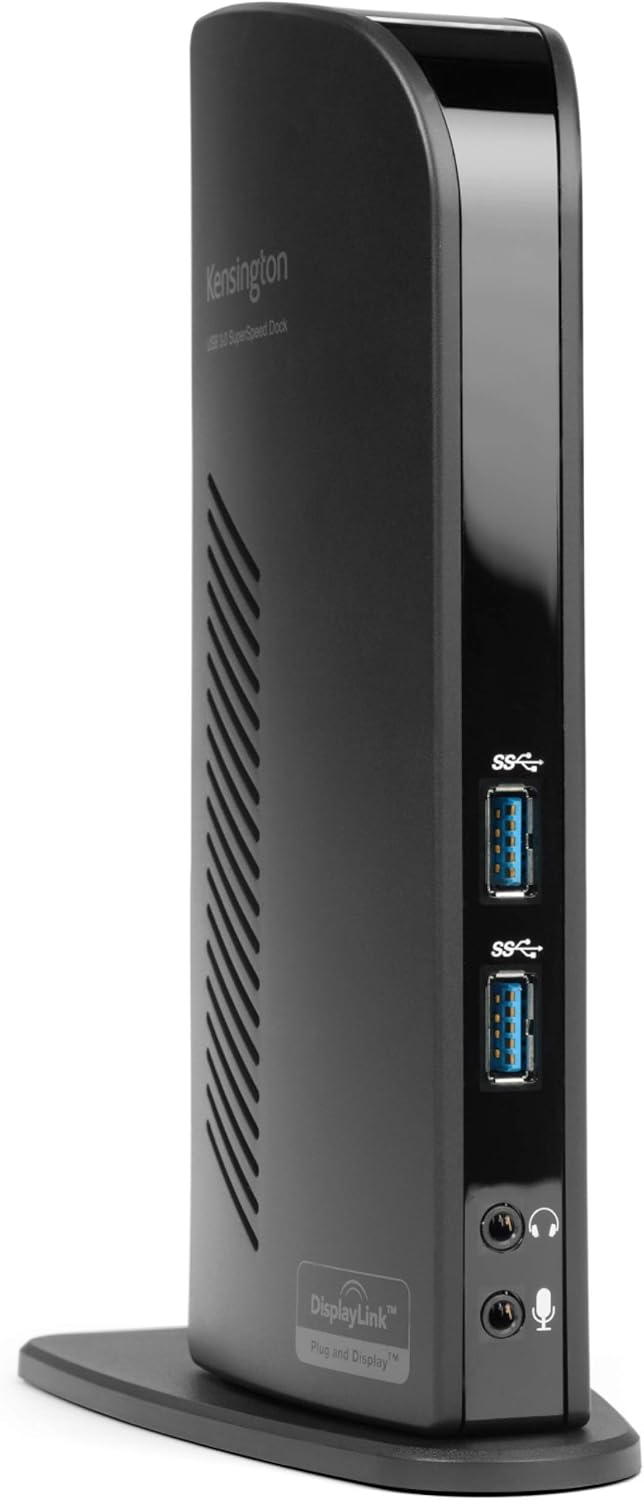
Make your laptop MacBook Surface Laptop and Surface Go tablet Ultra productive with the Kensington SD3500v USB 3 0 Universal docking station! Ultra book's and other super slim laptop computers are reliant on sleek good looks but often lack enough ports for connectivity As a result you are constantly plugging and unplugging peripherals to connect to the devices you need The Kensington USB 3 0 Dual docking station turns one USB port into six so that with one hot swappable USB connection you will have access to all of your peripherals up to eight peripherals plus two 1080HD video monitors
Details:
| Brand | Kensington |
|---|---|
| Color | Black |
| Hardware Interface | USB |
| Compatible Devices | MacBooks, Surface Book 1/2/3, Surface Laptop 1/2/3, Surface Pro 4/5/6/7/8, Windows laptops |
| Total USB Ports | 6 |
| Product Dimensions | 10"L x 7"W x 3"H |
| Number of Ports | 10 |
| Item Weight | 12.8 ounces |
| Total HDMI Ports | 1 |
| Wattage | 1 |
Visit the Kensington Store
Kensington USB 3.0 Dual Display Docking Station for MacBooks, Windows and Surface (K33972US)
BHD4982
Quantity:
Order today to get by 7-14 business days
This item qualifies for free delivery
 Imported From: United States
At BOLO, we work hard to ensure the products you receive are new, genuine, and sourced from reputable suppliers.
Every product in the BOLO catalogue is sourced through our Verified Global Supply Network of verified sellers, authorized distributors or directly from the manufacturer.
Each product undergoes thorough inspection and verification at our consolidation and fulfilment centers to ensure it meets our strict authenticity and quality standards before being shipped and delivered to you.
If you ever have concerns regarding the authenticity of a product purchased from us, please contact Bolo Support. We will review your inquiry promptly and, if necessary, provide documentation verifying authenticity or offer a suitable resolution.
Your trust is our top priority, and we are committed to maintaining transparency and integrity in every transaction.
While we strive to display accurate information, variations in packaging, labeling, instructions, or formulation may occasionally occur due to regional differences or supplier updates. For detailed or manufacturer-specific information, please contact the brand directly or reach out to BOLO Support for assistance.
Unless otherwise stated, all prices displayed on the product page include applicable taxes and import duties.
BOLO operates in accordance with the laws and regulations of Bahrain. Any items found to be restricted or prohibited for sale within the Bahrain will be cancelled prior to shipment. We take proactive measures to ensure that only products permitted for sale in Bahrain are listed on our website.
All items are shipped by air, and any products classified as “Dangerous Goods (DG)” under IATA regulations will be removed from the order and cancelled.
All orders are processed manually, and we make every effort to process them promptly once confirmed. Products cancelled due to the above reasons will be permanently removed from listings across the website.

Multi-tasking Made Easy
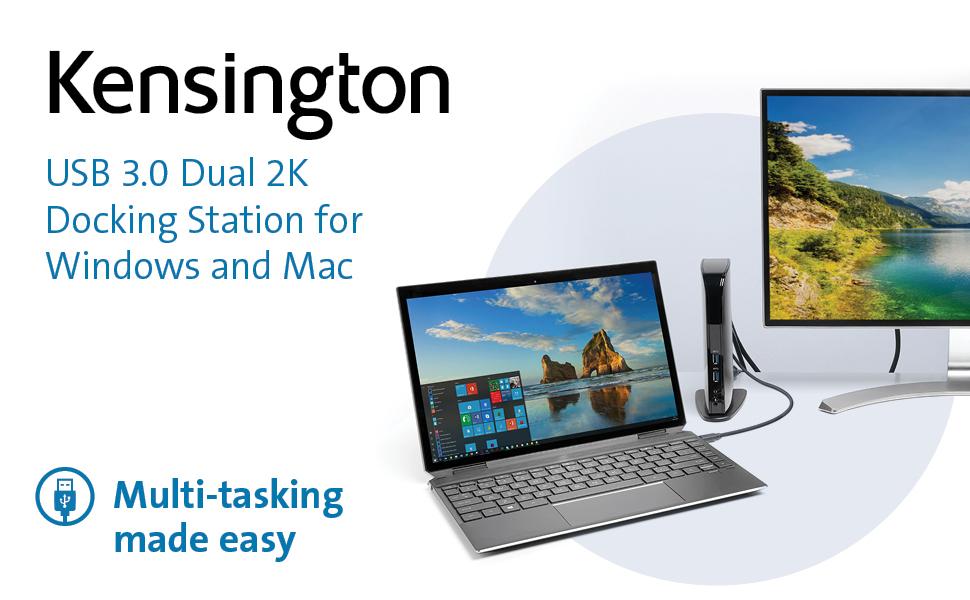
Ultra-thin laptops and 2-in-1 convertibles like the Surface Pro offer great mobile productivity and a sleek design — but they also come up short on ports. As a result, you’re constantly plugging and unplugging peripherals. The Kensington USB 3.0 Dual 2K Docking Station turns one USB port into six so you can access all of your peripherals, including keyboard, mouse, printer, external hard drive, and more. And with dual HD video output, you can add two external monitors to boost productivity. The dock’s two USB 3.0 ports support super-speed data transfer of up to 5 Gbps.
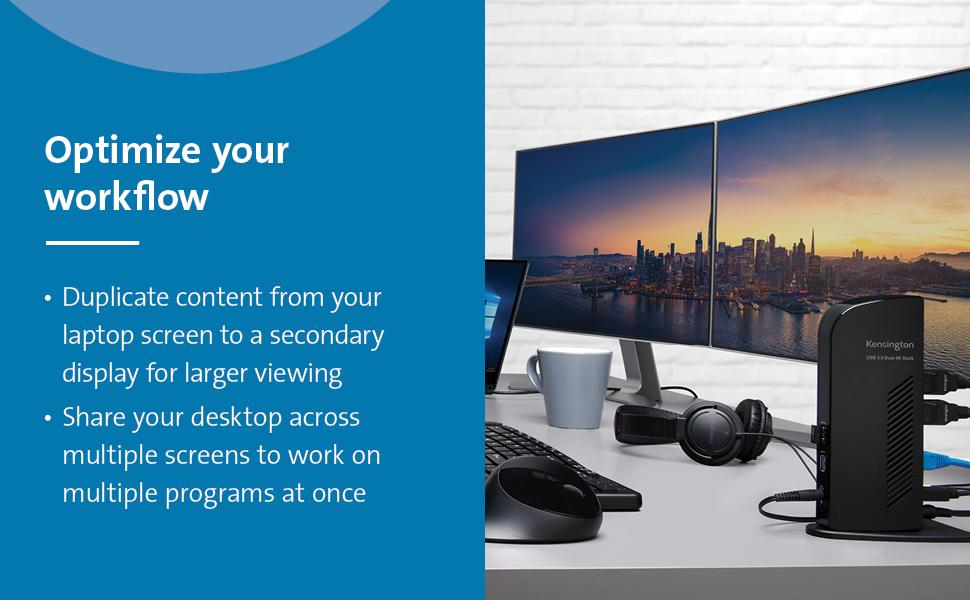
- Extend mode: Share your desktop across multiple screens so you can view and work on multiple applications at once. Clone mode: Replicate the same content from your laptop to your secondary display.
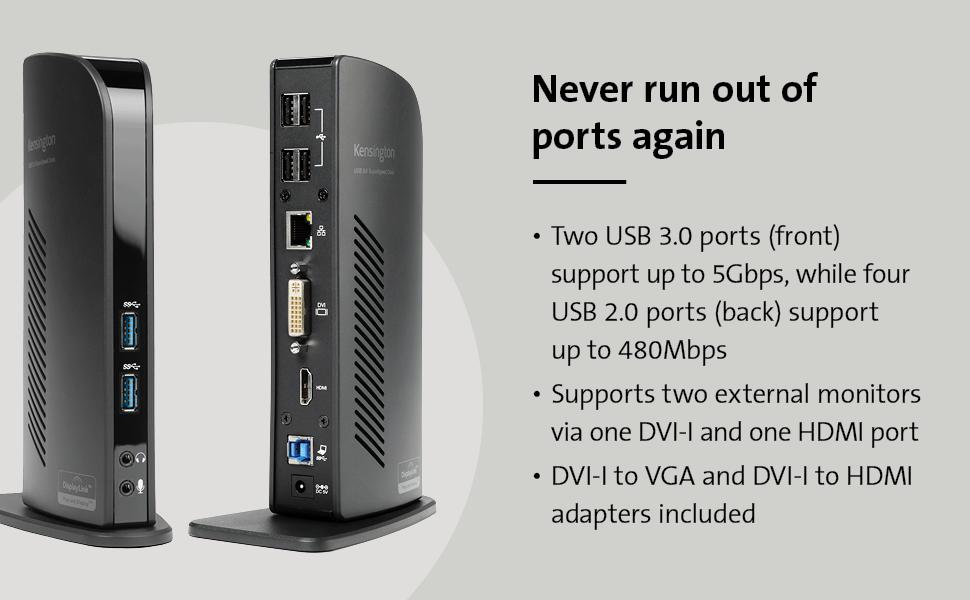
- Two super-speed USB 3.0 ports are ideal when you want to transfer data from another device. Headphone and microphone jacks are also conveniently placed on the front of the dock. Connect your peripherals with four USB 2.0 ports strategically located on the back of the dock to keep your printer, keyboard, mice cables or wireless receivers hidden from view.
- Expand your workspace by adding additional monitors. Connect a DVI monitor to the DVI port or use the included DVI-VGA adapter to connect a VGA monitor. If you have an HDMI monitor, connect directly into the HDMI port. You can also connect a second HDMI monitor to the DVI port using the included DVI-HDMI adapter. You can run both ports simultaneously.
- Intuitive display management console sits on your applications bar and allows you to easily switch between display modes, change the master monitor or adjust alignment and position of your screens.
Specifications:
- Best For: USB 3.0 Laptops, Ultrabooks & Windows Tablets, and Monitors that support up to 2K
- Connection Technology: USB 3.0 (DisplayLink)
- Compatibility: Windows 7 or above, macOS 10.14
- Number of Monitors Supported: 2 (additional monitors supported with multi-display adapter, sold separately)
- Video Ports: 1 x HDMI v1.2 and 1 x DVI-I (DVI-to-VGA and DVI-to-HDMI supported with included adapters)
- Maximum Resolution Supported: Single Monitor: 1920 x 1200 @ 60Hz and Dual Monitors: 2048 x 1152 @ 60Hz
- Audio 2.0 for enhanced sound
- DisplayLink driver installation required. Download software from kensington.com or via Windows update. *Please always update your laptop to the latest DisplayLink driver.
- Free Kensington DockWorks Software enables the best connection, performance, and security from your Kensington dock.
Similar suggestions by Bolo
More from this brand
Similar items from “Docking Stations”
Share with
Or share with link
https://www.bolo.bh/products/UO009S7R730
Visit the Kensington Store
Kensington USB 3.0 Dual Display Docking Station for MacBooks, Windows and Surface (K33972US)
BHD4982
Quantity:
Order today to get by 7-14 business days
This item qualifies for free delivery
Imported From: United States
At BOLO, we work hard to ensure the products you receive are new, genuine, and sourced from reputable suppliers.
Every product in the BOLO catalogue is sourced through our Verified Global Supply Network of verified sellers, authorized distributors or directly from the manufacturer.
Each product undergoes thorough inspection and verification at our consolidation and fulfilment centers to ensure it meets our strict authenticity and quality standards before being shipped and delivered to you.
If you ever have concerns regarding the authenticity of a product purchased from us, please contact Bolo Support. We will review your inquiry promptly and, if necessary, provide documentation verifying authenticity or offer a suitable resolution.
Your trust is our top priority, and we are committed to maintaining transparency and integrity in every transaction.
While we strive to display accurate information, variations in packaging, labeling, instructions, or formulation may occasionally occur due to regional differences or supplier updates. For detailed or manufacturer-specific information, please contact the brand directly or reach out to BOLO Support for assistance.
Unless otherwise stated, all prices displayed on the product page include applicable taxes and import duties.
BOLO operates in accordance with the laws and regulations of Bahrain. Any items found to be restricted or prohibited for sale within the Bahrain will be cancelled prior to shipment. We take proactive measures to ensure that only products permitted for sale in Bahrain are listed on our website.
All items are shipped by air, and any products classified as “Dangerous Goods (DG)” under IATA regulations will be removed from the order and cancelled.
All orders are processed manually, and we make every effort to process them promptly once confirmed. Products cancelled due to the above reasons will be permanently removed from listings across the website.
Description:
What's in the box
Make your laptop MacBook Surface Laptop and Surface Go tablet Ultra productive with the Kensington SD3500v USB 3 0 Universal docking station! Ultra book's and other super slim laptop computers are reliant on sleek good looks but often lack enough ports for connectivity As a result you are constantly plugging and unplugging peripherals to connect to the devices you need The Kensington USB 3 0 Dual docking station turns one USB port into six so that with one hot swappable USB connection you will have access to all of your peripherals up to eight peripherals plus two 1080HD video monitors
Details:
| Brand | Kensington |
|---|---|
| Color | Black |
| Hardware Interface | USB |
| Compatible Devices | MacBooks, Surface Book 1/2/3, Surface Laptop 1/2/3, Surface Pro 4/5/6/7/8, Windows laptops |
| Total USB Ports | 6 |
| Product Dimensions | 10"L x 7"W x 3"H |
| Number of Ports | 10 |
| Item Weight | 12.8 ounces |
| Total HDMI Ports | 1 |
| Wattage | 1 |
Multi-tasking Made Easy
Ultra-thin laptops and 2-in-1 convertibles like the Surface Pro offer great mobile productivity and a sleek design — but they also come up short on ports. As a result, you’re constantly plugging and unplugging peripherals. The Kensington USB 3.0 Dual 2K Docking Station turns one USB port into six so you can access all of your peripherals, including keyboard, mouse, printer, external hard drive, and more. And with dual HD video output, you can add two external monitors to boost productivity. The dock’s two USB 3.0 ports support super-speed data transfer of up to 5 Gbps.
- Extend mode: Share your desktop across multiple screens so you can view and work on multiple applications at once. Clone mode: Replicate the same content from your laptop to your secondary display.
- Two super-speed USB 3.0 ports are ideal when you want to transfer data from another device. Headphone and microphone jacks are also conveniently placed on the front of the dock. Connect your peripherals with four USB 2.0 ports strategically located on the back of the dock to keep your printer, keyboard, mice cables or wireless receivers hidden from view.
- Expand your workspace by adding additional monitors. Connect a DVI monitor to the DVI port or use the included DVI-VGA adapter to connect a VGA monitor. If you have an HDMI monitor, connect directly into the HDMI port. You can also connect a second HDMI monitor to the DVI port using the included DVI-HDMI adapter. You can run both ports simultaneously.
- Intuitive display management console sits on your applications bar and allows you to easily switch between display modes, change the master monitor or adjust alignment and position of your screens.
Specifications:
- Best For: USB 3.0 Laptops, Ultrabooks & Windows Tablets, and Monitors that support up to 2K
- Connection Technology: USB 3.0 (DisplayLink)
- Compatibility: Windows 7 or above, macOS 10.14
- Number of Monitors Supported: 2 (additional monitors supported with multi-display adapter, sold separately)
- Video Ports: 1 x HDMI v1.2 and 1 x DVI-I (DVI-to-VGA and DVI-to-HDMI supported with included adapters)
- Maximum Resolution Supported: Single Monitor: 1920 x 1200 @ 60Hz and Dual Monitors: 2048 x 1152 @ 60Hz
- Audio 2.0 for enhanced sound
- DisplayLink driver installation required. Download software from kensington.com or via Windows update. *Please always update your laptop to the latest DisplayLink driver.
- Free Kensington DockWorks Software enables the best connection, performance, and security from your Kensington dock.
Similar suggestions by Bolo
More from this brand
Similar items from “Docking Stations”
Share with
Or share with link
https://www.bolo.bh/products/UO009S7R730